TallyMind
TallyMind app icon

Notes, todos, events and feeds. In plain files you own.

TallyMind brings your notes, todos, calendar and reading together in one app. Everything you write is kept as ordinary Markdown files in a folder — open them in any editor, on any computer.

iPhone · iPad · Mac · Apple Watch

Yours

Your vault is just a folder.

No account, no sign-in and no TallyMind server. Your notes and todos live as Markdown files in TallyMind's iCloud storage or in a folder you choose. Keep separate vaults for home and work, and lock the app with Face ID, Touch ID or your passcode.

Home/
├─ notes/
│  ├─ Kitchen remodel plan.md
│  ├─ Q4 goals.md
│  └─ Lisbon in November.md
├─ todos/
│  └─ Book the train to Sintra.md
└─ feeds.opml
# Kitchen remodel plan
The goal is a kitchen two people can cook in at once. #home
- [x] Keep the sink under the window
- [ ] Pendant lights over the island
Everything in one place

Plan the day, write it down, keep up with what you read.

Start each day on Today: your calendar, what is due, what you have started and what is coming up next.

Notes

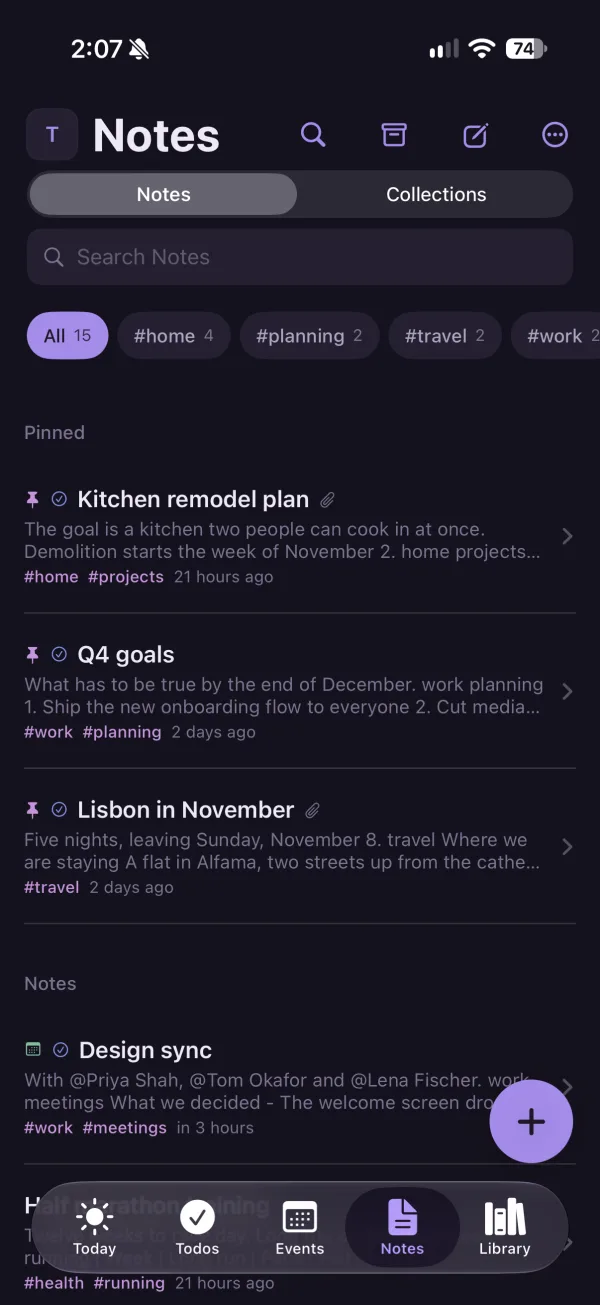
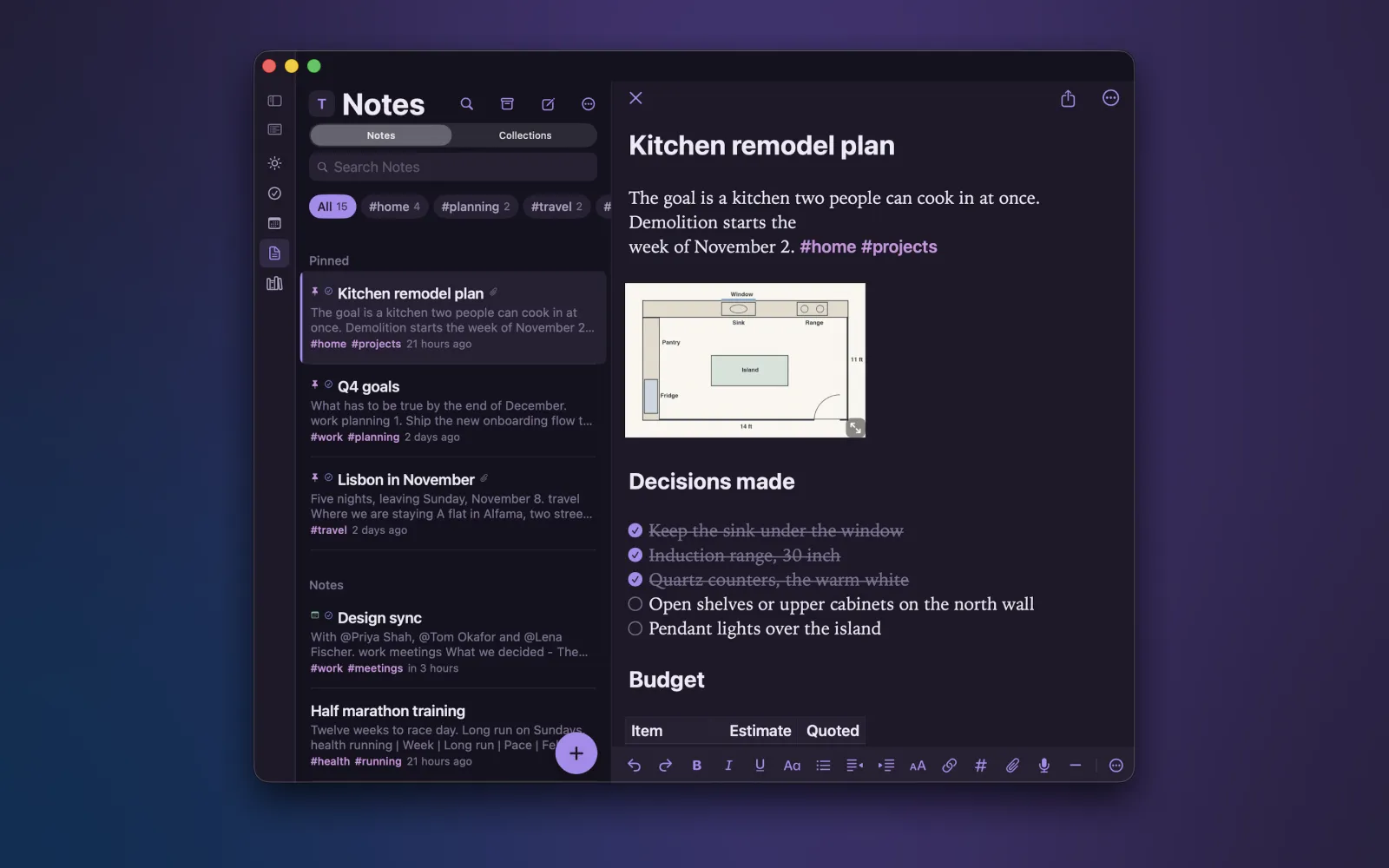
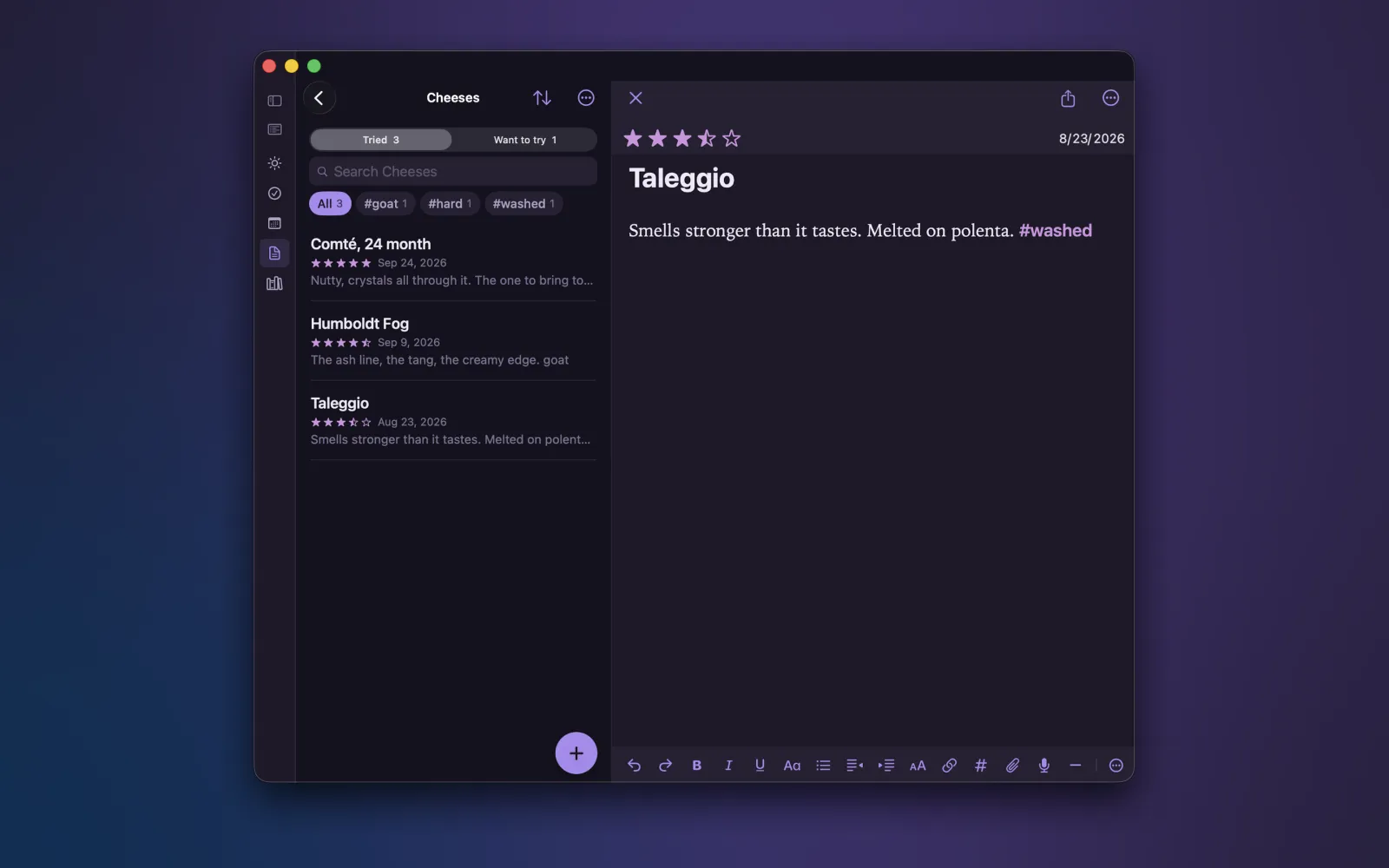
Markdown with live formatting, so it looks finished while you write.

  • Headings, lists, checkboxes, tables, callouts and code
  • Organize with #tags and collections; link notes with [[links]]
  • Attach photos, PDFs, scans, drawings and voice memos
  • Search inside PDFs and scans, not just their names
  • Diagrams and math formulas right in a note
  • Optional history to go back to earlier versions

Todos

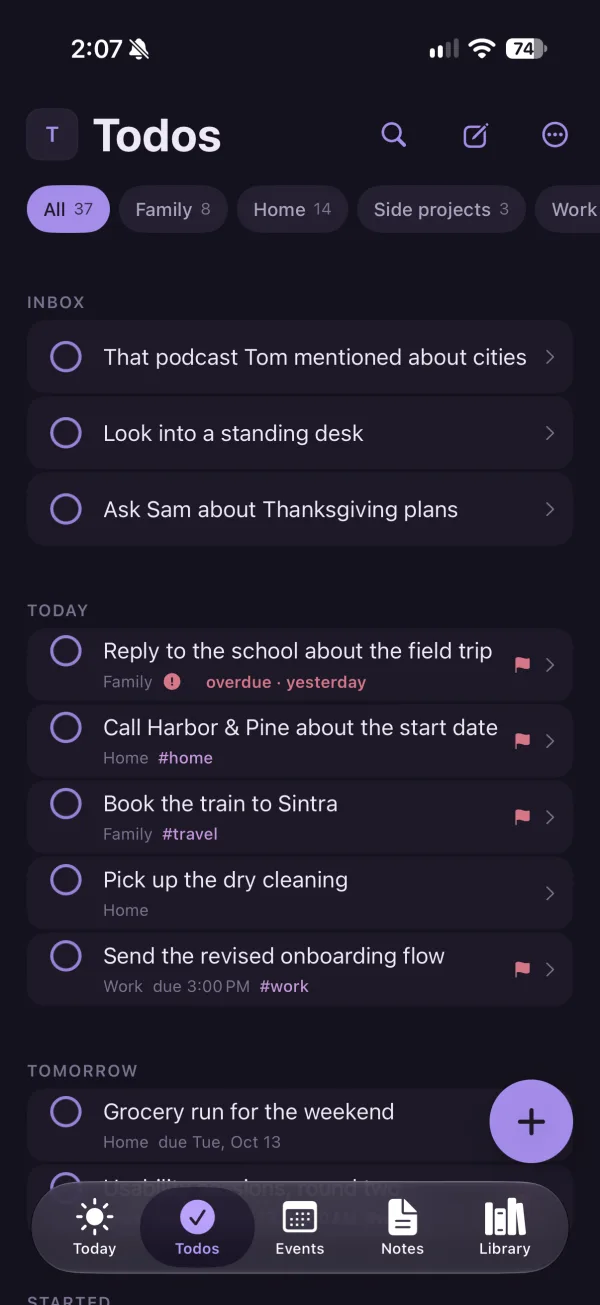
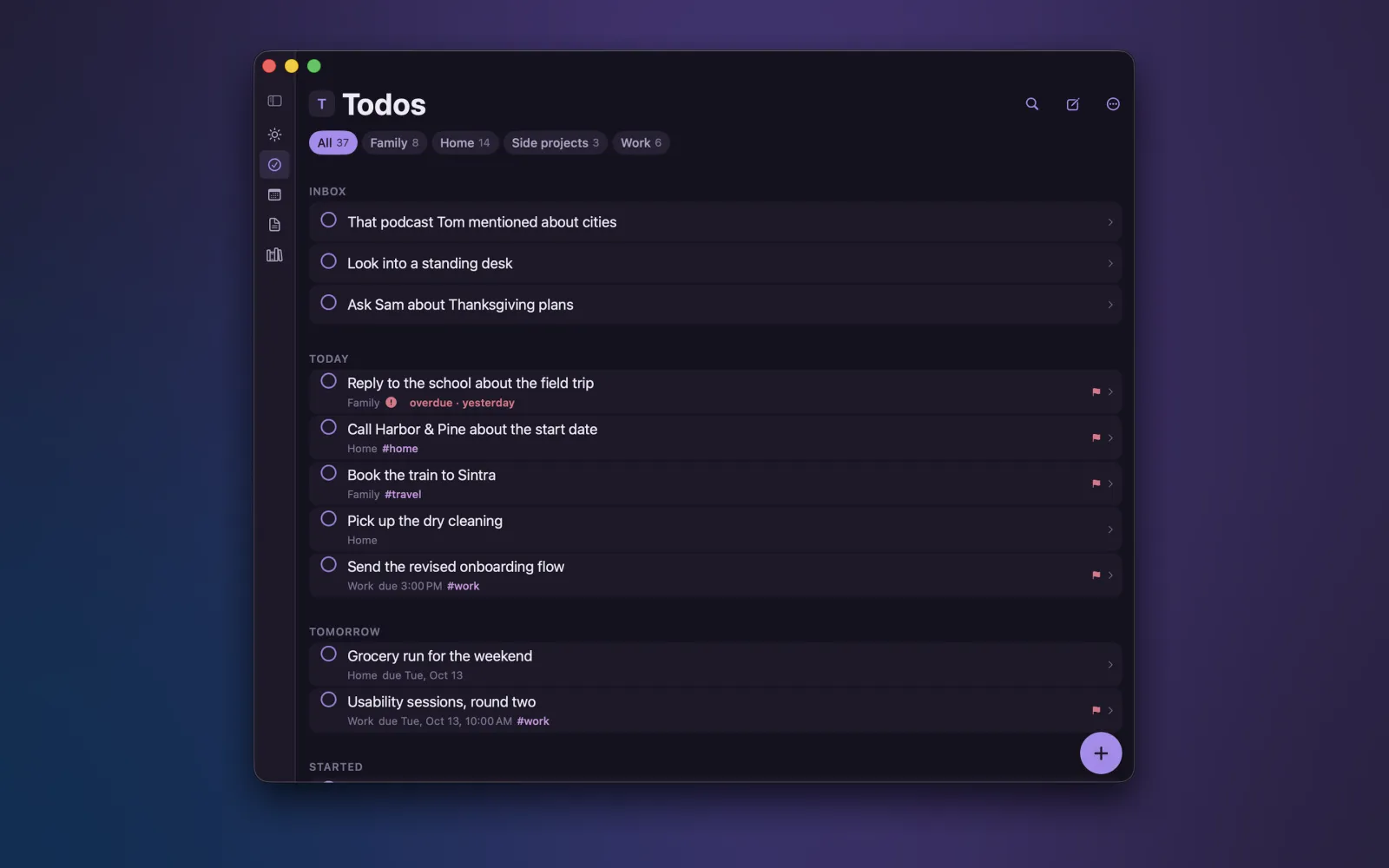
Inbox, Today, Tomorrow, Soon and Upcoming — grouped the way you plan.

  • Due dates, deadlines, start dates and times, with reminders
  • Repeating todos, flags, lists and tags
  • Mark a todo as started and keep a logbook of what you finished
  • Attach a note, or turn a note's checkboxes into todos
  • Add a todo with Siri or the Shortcuts app

Events

Your calendars sit alongside your todos, so the whole day is on one screen.

  • See events and todos together on Today
  • Write a note for any event and find it again from the event

Library

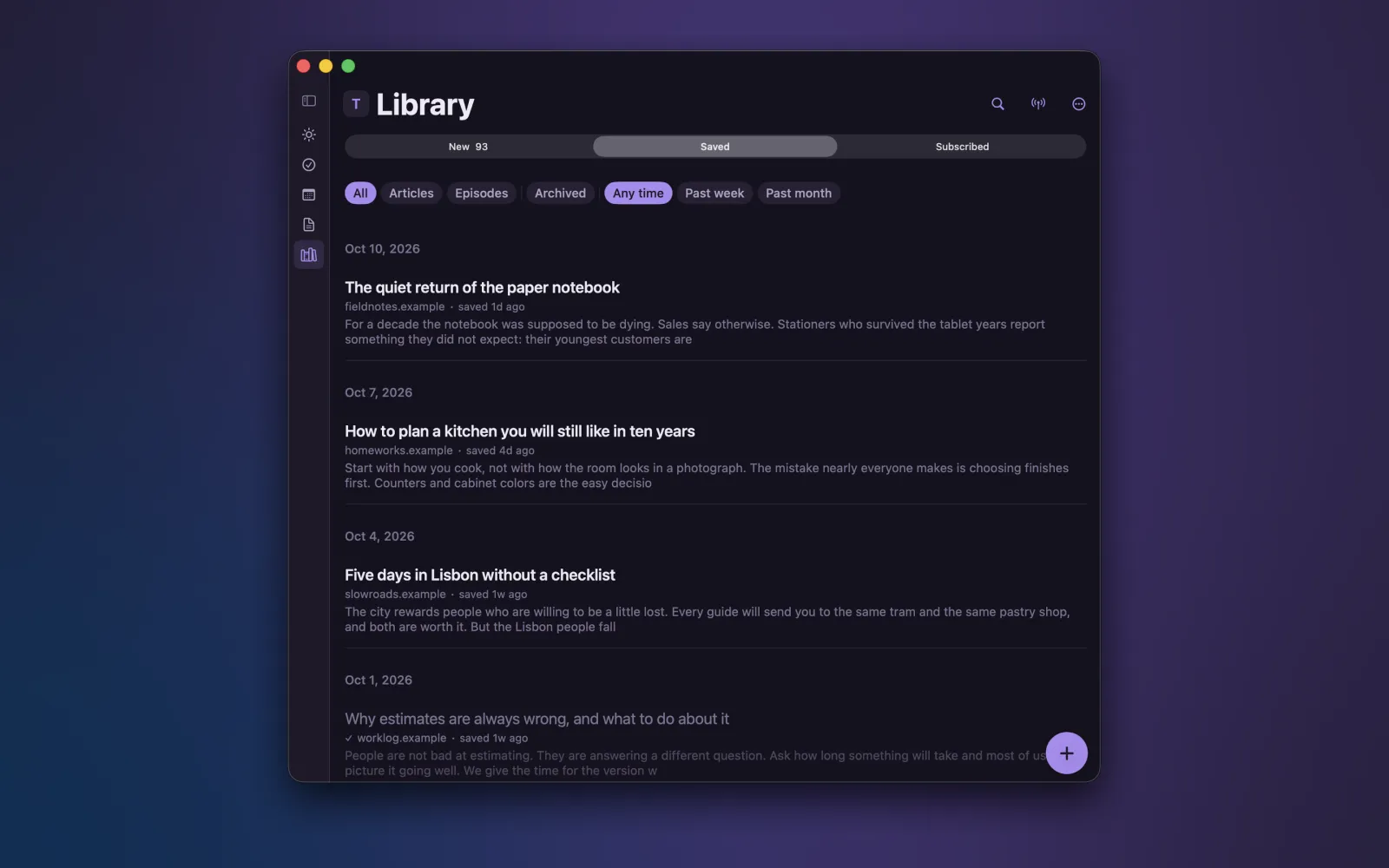
Follow websites and podcasts by RSS, and read and listen in the app.

  • Download episodes and pick up where you left off
  • Save articles to read later
  • Save pages from the share sheet, with the article text kept in your library
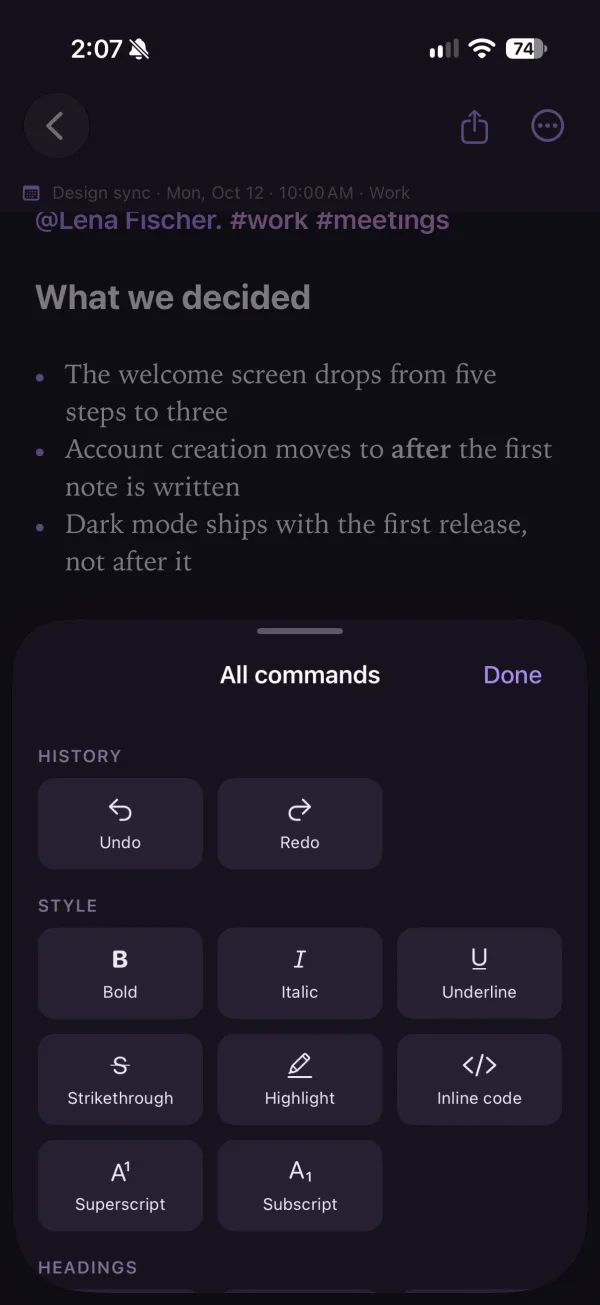
Todos on iPhone, grouped into Inbox, Today and Tomorrow A list of notes on iPhone with tags The note editor's command sheet on iPhone
On all your devices

Wherever you are, it is the same vault.

iPhone, iPad and Mac

Kept in sync through your own iCloud Drive. Nothing passes through anyone else's server.

Widgets and Watch

Home Screen widgets for your day, your next todos, headlines and your listening queue. Apple Watch shows your day.

Six themes

Pick the look that suits you, and let Apple Intelligence suggest tags and summaries on devices that support it — offered, never applied.

The short version

TallyMind does not collect, store or share any personal information. There is no account, no sign-in, no analytics, no advertising and no TallyMind server. The developer never sees your notes, todos, calendar, feeds or anything else you put in the app.

Where your data lives

Everything you write is saved as Markdown files in a folder called a vault. By default the vault is in TallyMind's storage in your own iCloud Drive (or on the device if iCloud is off), or in a folder you choose. Syncing between your devices is done by Apple's iCloud Drive under your Apple Account and is covered by Apple's privacy policy. You can open, copy, move or delete these files at any time.

When the app goes online

TallyMind connects to the internet only for things you ask it to fetch:

  • The websites and podcasts you follow, which are fetched directly from their publishers.
  • The web page behind a link you save.
  • Feed and podcast search, which sends your search words to Apple's podcast directory and to feedsearch.dev.

Those services receive the ordinary information any web request carries, such as your IP address, and are governed by their own privacy policies. TallyMind adds no identifiers to these requests.

Permissions

TallyMind may ask to use your calendars and reminders, notifications, contacts (to @mention someone in a note), location (to pin a note to where you are), camera (to scan documents), microphone and speech recognition (to record and transcribe voice memos), and Face ID or Touch ID (to lock the app). Each is optional and used only on your device for the feature that asks. Anything it produces, such as a mention or a location, is written into your own files and never sent to the developer. Each permission can be turned off in Settings at any time.

Apple Intelligence

On devices where Apple Intelligence is available and turned on, TallyMind can suggest tags and summaries using Apple's on-device model. Your text is processed on the device and is not sent to the developer. Suggestions are only offered; nothing is written to your notes unless you accept it.

Children

TallyMind collects no information from anyone, including children.

Changes and contact

If this policy changes, the new version will be posted on this page with a new date. Questions about privacy can be sent to support@tallymindapp.com.

Do I need an account?

No. There is no account, no sign-in and no TallyMind server. Open the app and start writing.

Where are my notes stored?

In your vault: a folder of Markdown files. By default it is in TallyMind's iCloud storage, or on the device if iCloud is off. You can choose a folder of your own at the end of setup or later in Settings › Vaults.

How do I sync between iPhone, iPad and Mac?

Sign in to the same Apple Account on each device and make sure iCloud Drive is on. TallyMind's vault syncs through iCloud Drive automatically. To use a vault in a folder you chose, attach that same folder on your other devices from Settings › Vaults.

Can I open my notes in another app?

Yes. Every note and todo is an ordinary Markdown file. Open the vault folder in the Files app, Finder or any text editor.

How do I export or back up my data?

Your vault is already a folder of plain files, so copying the folder is a complete backup. You can also turn on history in Settings to go back to earlier versions of a note.

How do I follow a website or podcast?

Go to Library › Subscribed and search for it, or paste the address of its RSS feed.

How do I save a web page?

In Safari or any app with a share button, tap Share and choose TallyMind. The page's article text is kept in your Library.

Why don't I see tag or summary suggestions?

Suggestions use Apple Intelligence and appear only on devices where it is available and turned on in Settings. On other devices those buttons are not shown.

Can I add a todo with Siri?

Yes. Use the TallyMind actions in the Shortcuts app, or say "Quick add in TallyMind". Asking Siri in your own words requires iOS 27.

How do I keep separate vaults for home and work?

Add another vault in Settings › Vaults and switch between them there. Each vault is its own folder.

Still stuck?

Email and a person will get back to you, usually within a couple of days.

support@tallymindapp.com